Autonomous intelligent agent simulation
Three-stage Python agent for a university AI course: classify industrial parts from phone photos (KNN and K-Means written from scratch), plan how to re-stack them with STRIPS/PDDL, and cross a random maze with A*.
Individual final project of Artificial Intelligence I (UNCuyo, 2025).
- Python
- OpenCV
- scikit-learn
- NumPy
- PyQt5
- KNN
- K-Means
- STRIPS / PDDL
- A*
- pygame
The problem and the agent
The assignment asks for a goal-based agent that does three things in order: recognise four kinds of parts (nails, screws, nuts and washers) from a photo, reorder the boxes that hold them into a target stack, and carry the stack across a room to a target point by the shortest path.
I specified the agent with the PEAS table (performance, environment, actuators, sensors) and treated each stage as its own problem. The three stages are separate scripts: they share the story (the class names become the objects of the planner) but no code connects them, and there is no physical robot.
Stage 1 — Photos and dataset
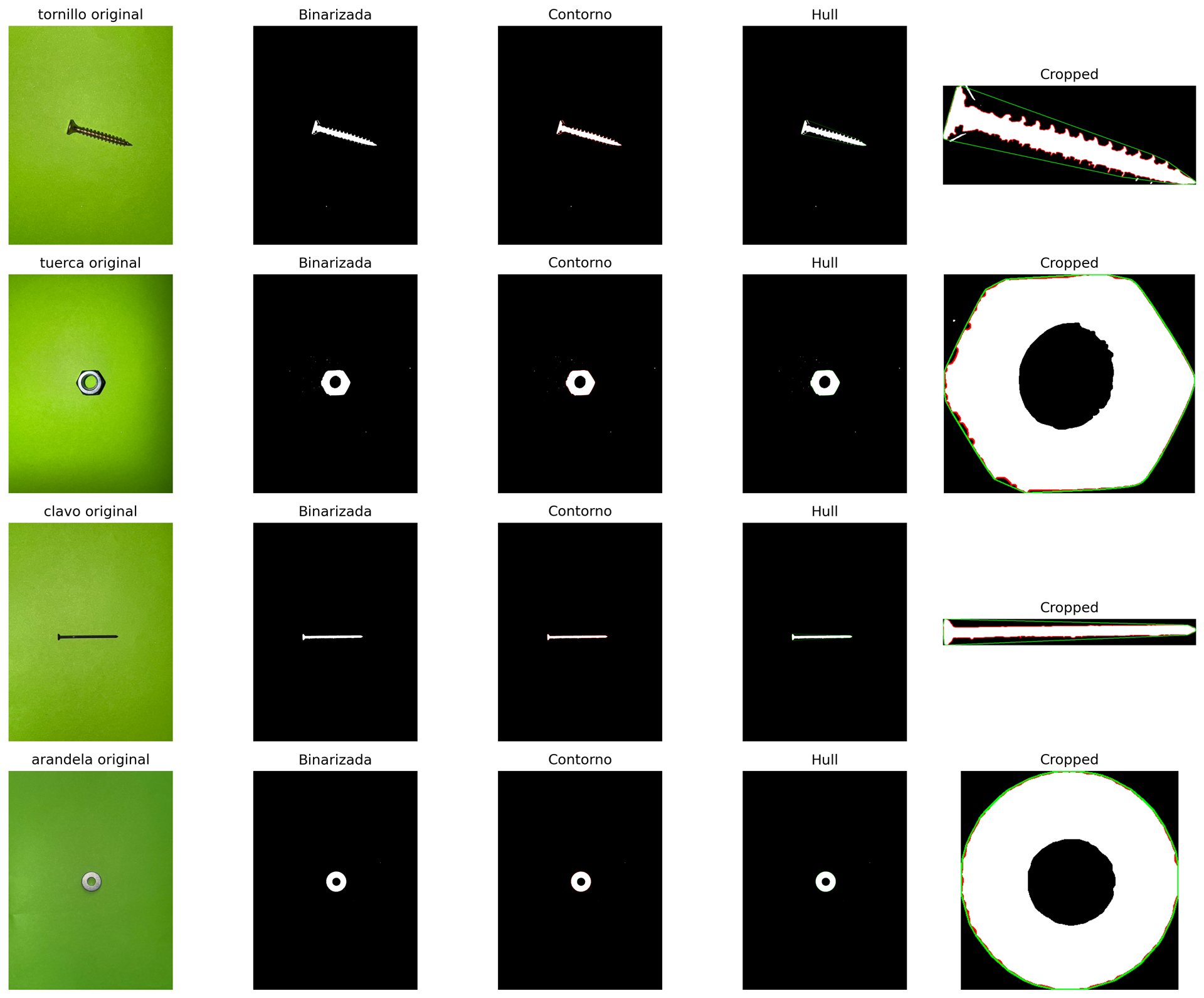
All pictures were taken with a phone camera with the flash on, over a uniform green card. That way the part is the only thing that is not green and segmentation stays simple. The price is robustness: the pipeline expects that background and would not work on a cluttered table.
I took about 30 photos per class (nails, screws, nuts, washers), 120 in total, and rotated the asymmetric parts (nails and screws) between shots so the result does not depend on orientation. I also kept extra photo sets taken at the university (bright green, matte green, exam table).
Stage 1 — Image processing
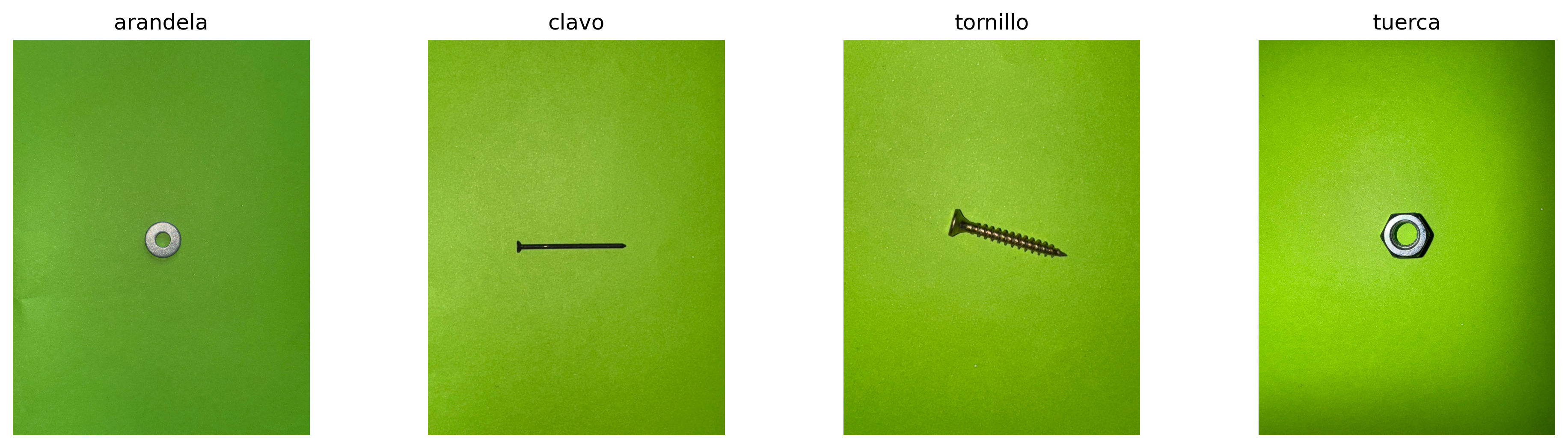
The whole chain lives in preprocess.py and follows the order in which I built it:
- HSV: the mean colour of the photo is taken as the background and used to build a colour range; the mask is inverted so the part stays and the background goes black.
- Opening with an elliptical kernel to remove small specks.
- Grey scale, median blur and a Li threshold to get a binary image of the part.
- Closing and flood fill to fill small internal gaps, keeping the largest hole so nuts and washers keep their centre.
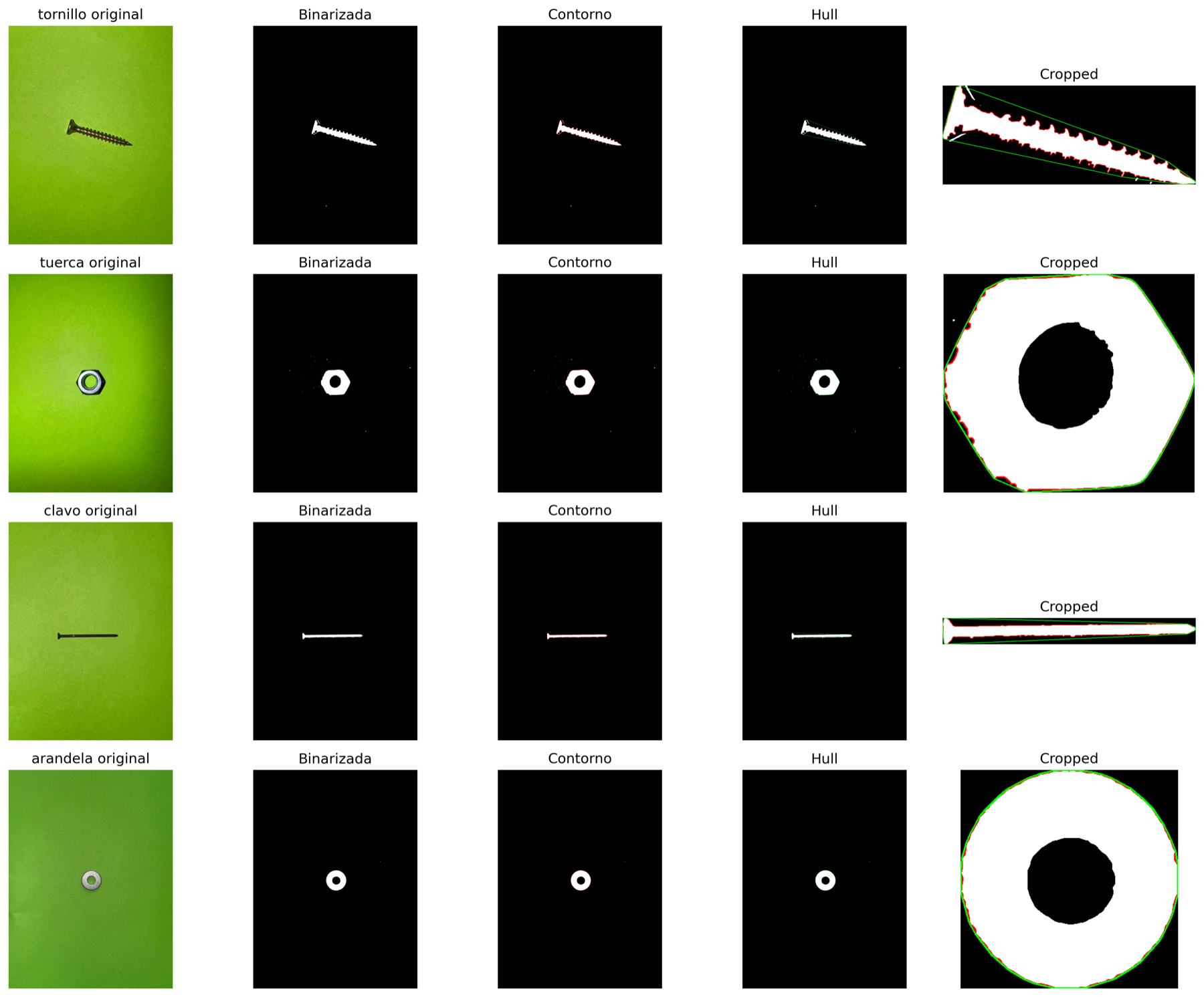
- Contours: the three largest (at least 100 px long) are kept, the bounding box is cropped, a second opening (15×15) cleans the edges and only the largest contour survives. Its convex hull is computed for the next step.
Stage 1 — Features
From the contour and the hull of each part I compute 17 numbers (features.py): the seven Hu moments of the hull (log-scaled) plus area, perimeter, circularity, hull circularity, solidity, convexity, circle-area ratio, axis aspect ratio, eccentricity and perimeter/area ratio. Everything is standardised with StandardScaler before any analysis.
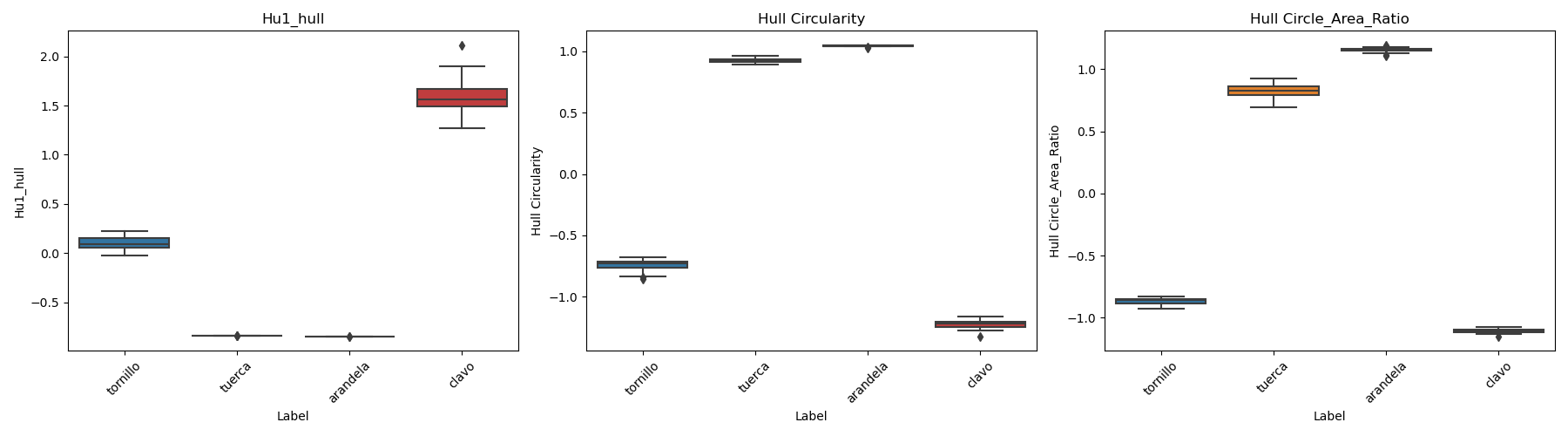
Box plots per class show which features separate the four parts and which do not. For example, nuts and washers have almost the same Hu1, so that feature alone cannot tell them apart.
Stage 1 — Choosing three features
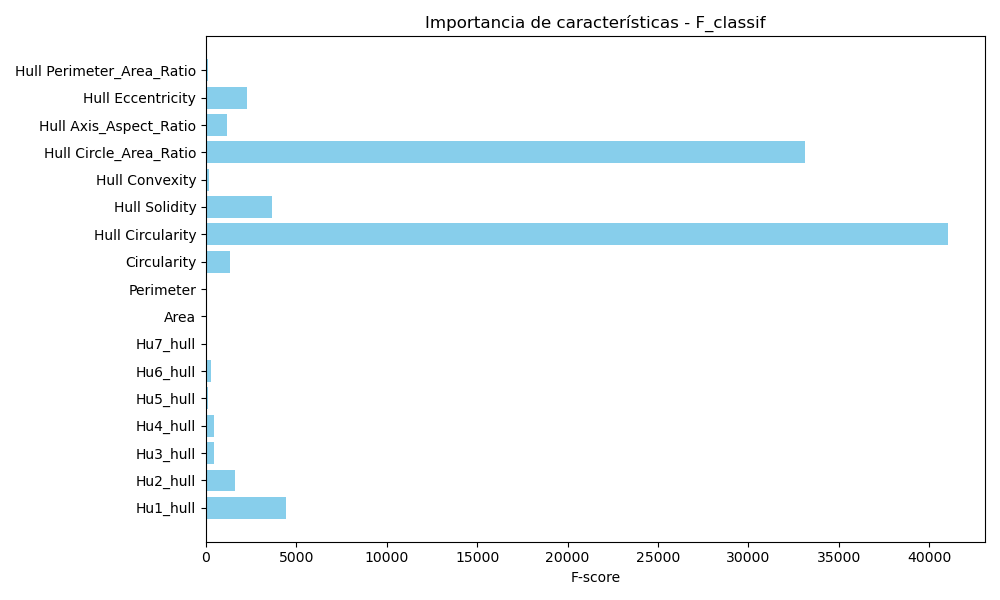
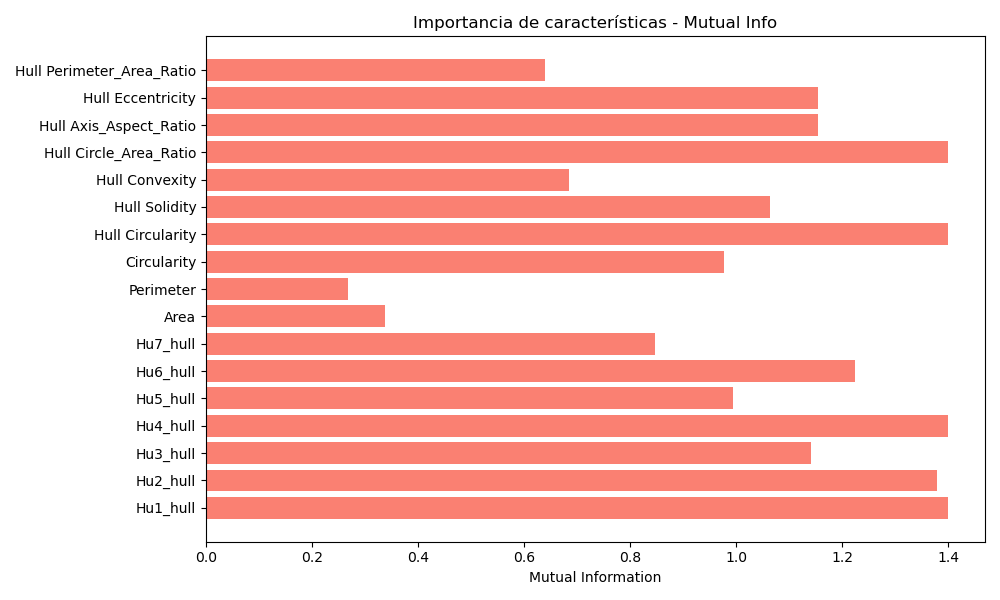
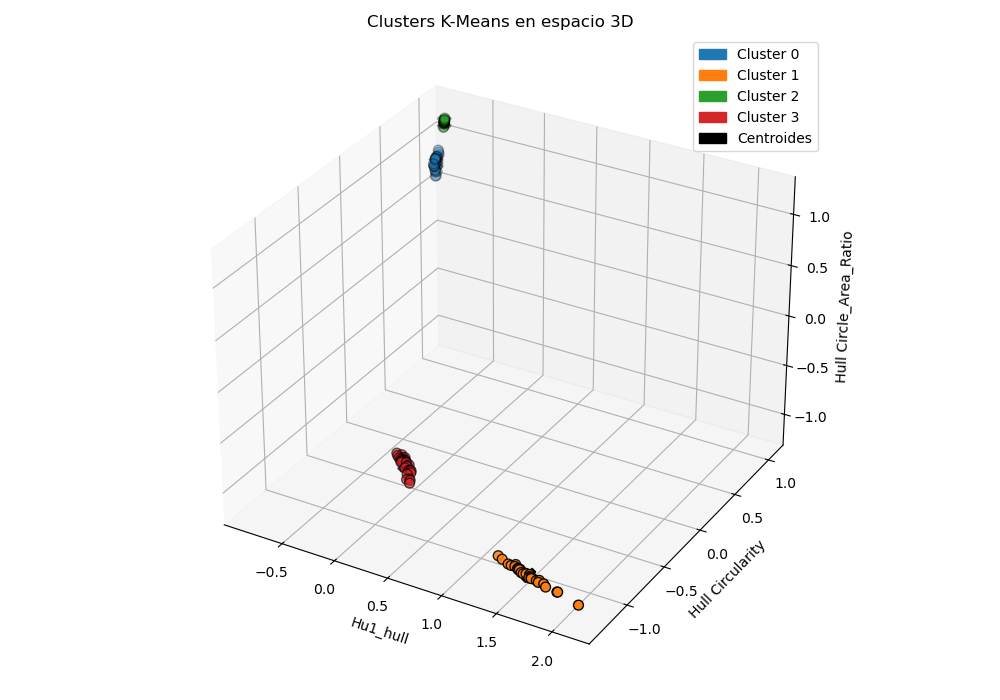
I ranked the features with two univariate scores: the ANOVA F-score (f_classif) and mutual information (mutual_info_classif). I kept Hu1 of the hull, hull circularity and hull circle-area ratio.
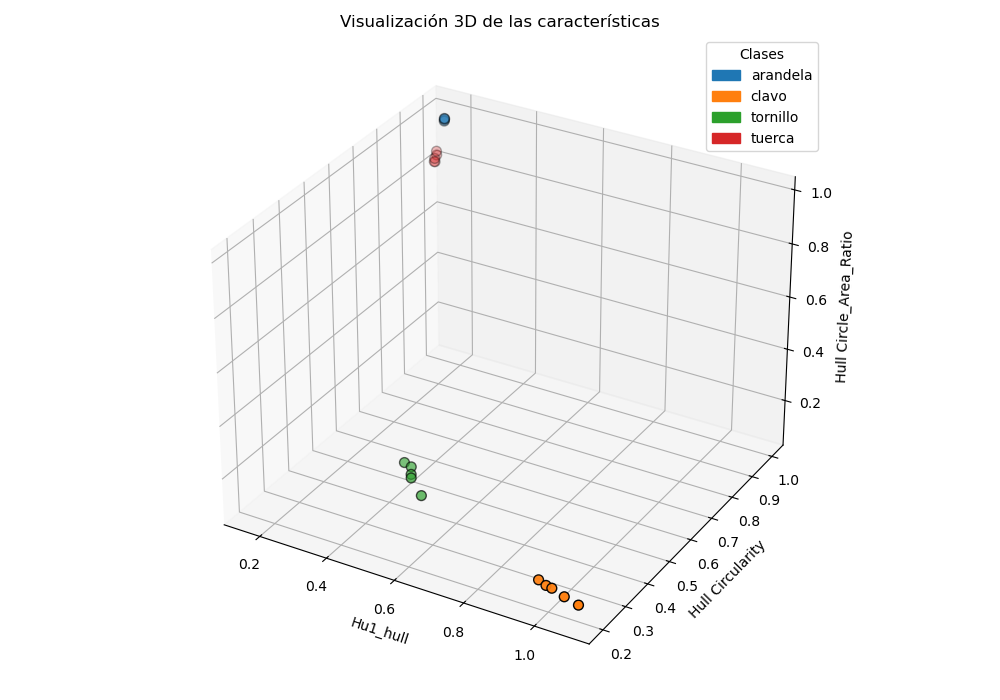
Hull solidity actually has a higher F-score than Hu1 (1205.7 vs 832.7) but a much lower mutual information (0.90 vs 1.35), and it overlaps with the two circularity-type features, so I left it out. Three features also let me plot every photo in 3D and see the classes before training anything.
Stage 1 — KNN and K-Means from scratch
Both algorithms are written by hand with NumPy in models.py; scikit-learn is only used for the scaler, the feature scores and cross-validation.
- KNN: Euclidean distance, k = 7, majority vote.
- K-Means: 10 random initialisations, keeping the run with the lowest intra-cluster variance; an empty cluster keeps its previous centroid. Since K-Means does not know the labels, I match clusters to classes with the Hungarian algorithm (linear_sum_assignment) on the confusion matrix so I can measure its accuracy.
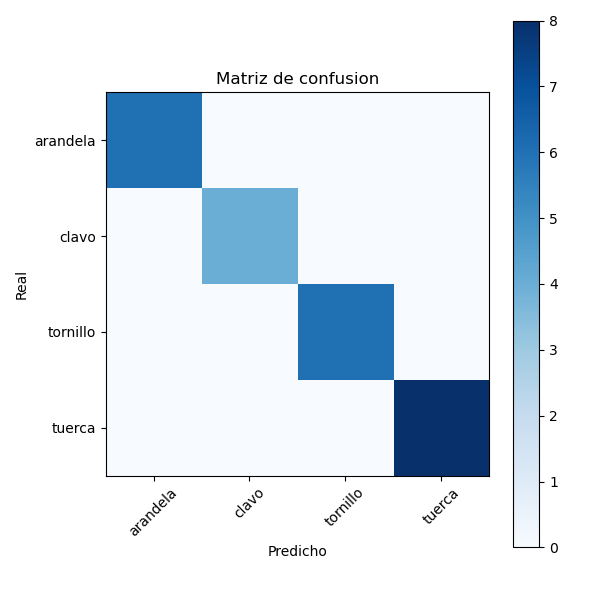
With an 80/20 split of the 120 photos KNN classified every test photo correctly (diagonal confusion matrix); K-Means scored lower. In the 3D clusters two of them almost overlap, which fits with nuts and washers having similar features. That 100% comes from photos taken under the same conditions as the training set, so it says little about other backgrounds.
Stage 1 — Desktop app
To try the classifier I wrapped it in a PyQt5 app, split in model, view and controller. You pick the training folder, train, pick a photo and see the processed mask with its contour and hull, the three feature values, the point plotted among the training data, the KNN prediction with the labels of its 7 neighbours and its cross-validated accuracy, and the K-Means prediction.
Stage 2 — STRIPS planning
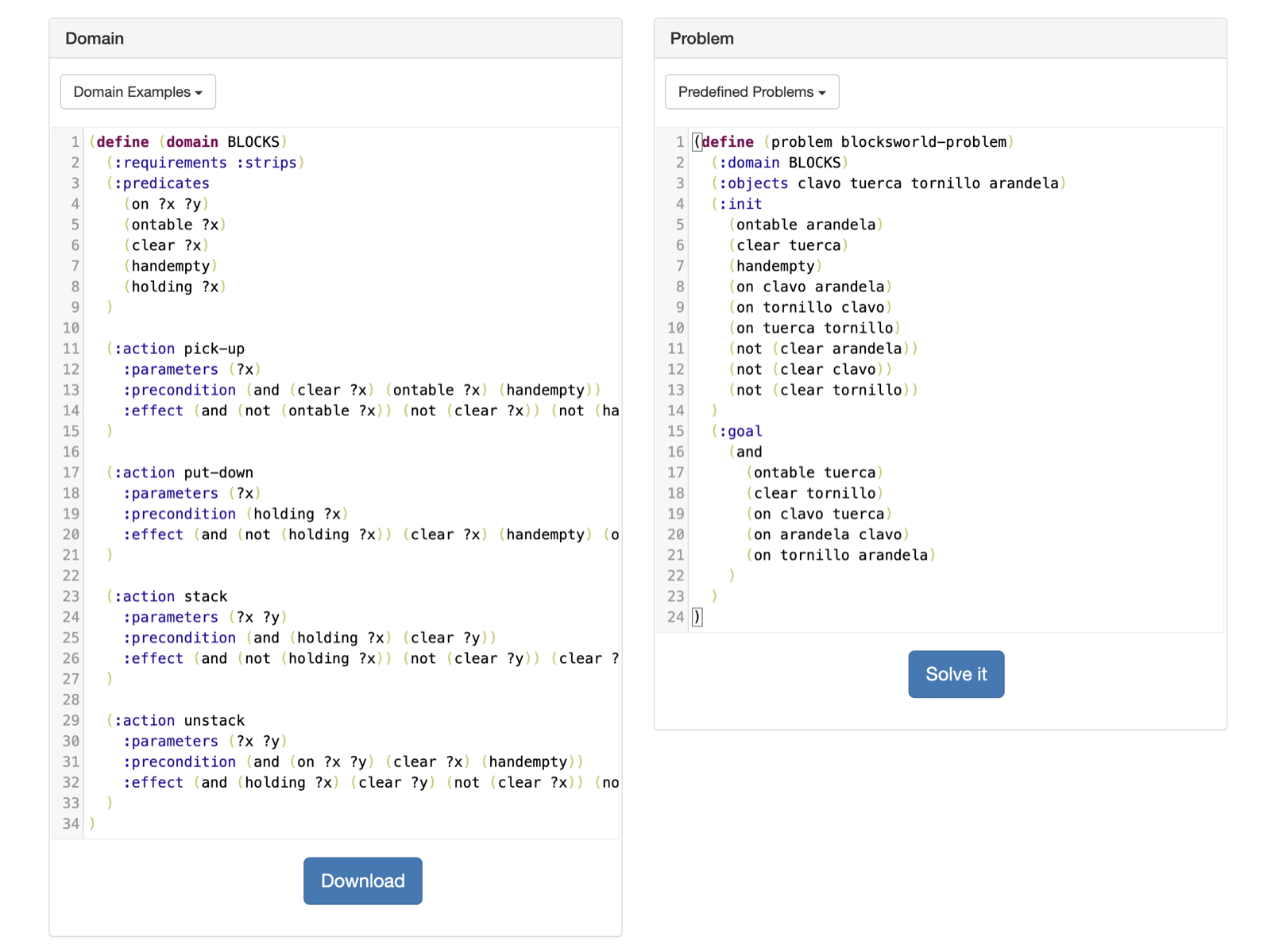
I modelled the boxes as a blocks world: the four parts are the blocks, with the predicates on, ontable, clear, handempty and holding, and four actions (pick-up, put-down, stack, unstack), each with its preconditions and effects.
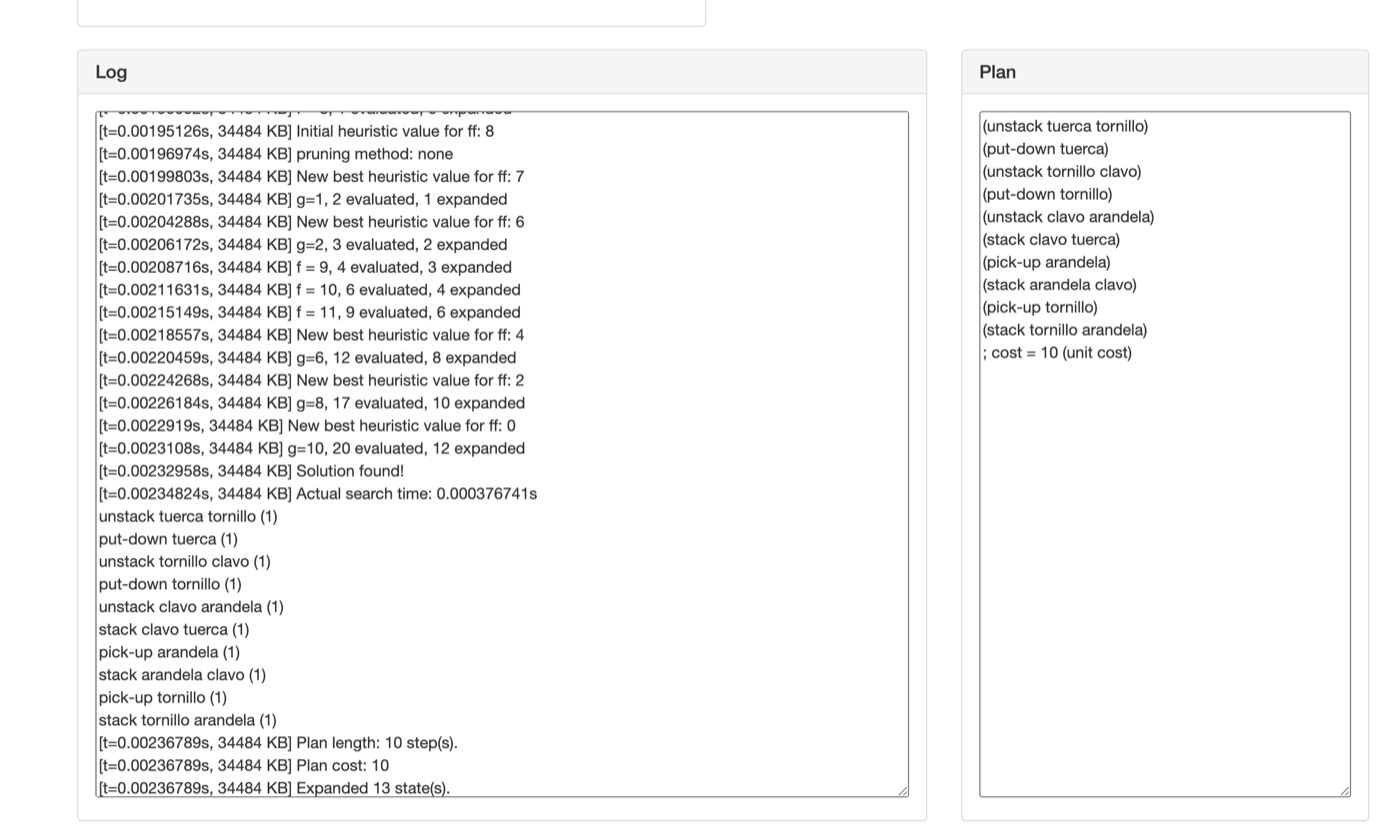
A Python script (etapa2.py) writes the domain and problem PDDL files with a random initial stack and a random goal stack. I did not write the planner: I loaded both files in an online PDDL solver. For the example in the screenshots it returned a 10-step plan after expanding 13 states.
Stage 3 — Maze and A* navigation
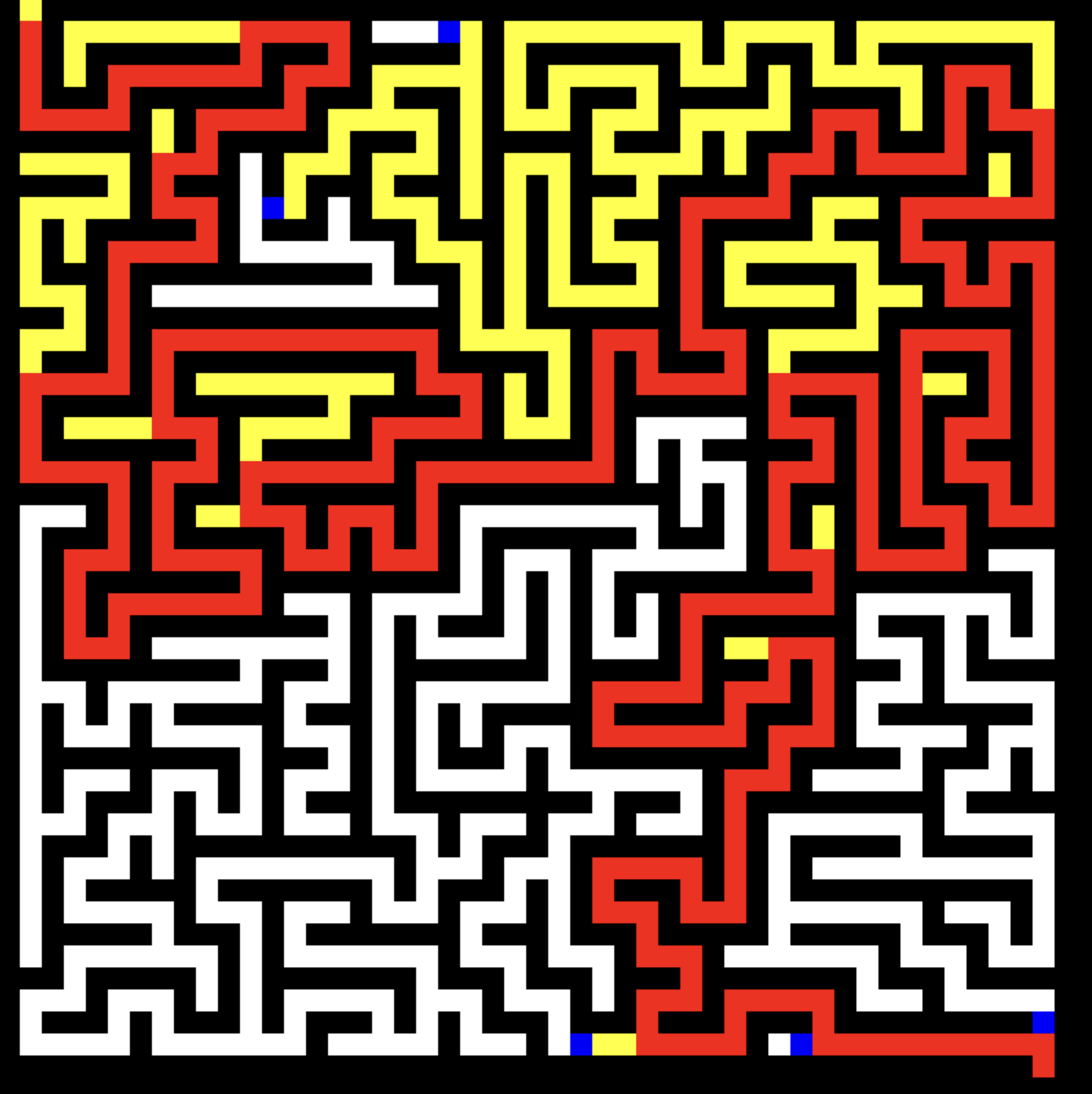
The room is a 50×50 grid of free and wall cells. The maze is generated at random by depth-first carving, so there is always a path from the entrance to the exit.
A* runs on that grid with four-direction moves and the Manhattan distance as heuristic, using a priority queue (heapq). A pygame window shows the search live behind a Start button: queued cells in blue, explored cells in yellow and the final path in red. The maze stands in for the room with tables and chairs, so it is a simplification of the real problem.
Limits and what I would improve
- The vision stage is tuned to a controlled setup (green card, flash). Another background would need a different segmentation.
- Perfect accuracy on four well-separated classes, tested under the same conditions as the training set, is not evidence that it generalises.
- The three stages are not wired together and nothing runs on a real robot: vision, planner and maze are simulated separately.
- Next step: feed the classifier output into the planner and test with photos on other backgrounds and lighting.